

Google My Business: A Complete Guide to Google Business Profile (2026)
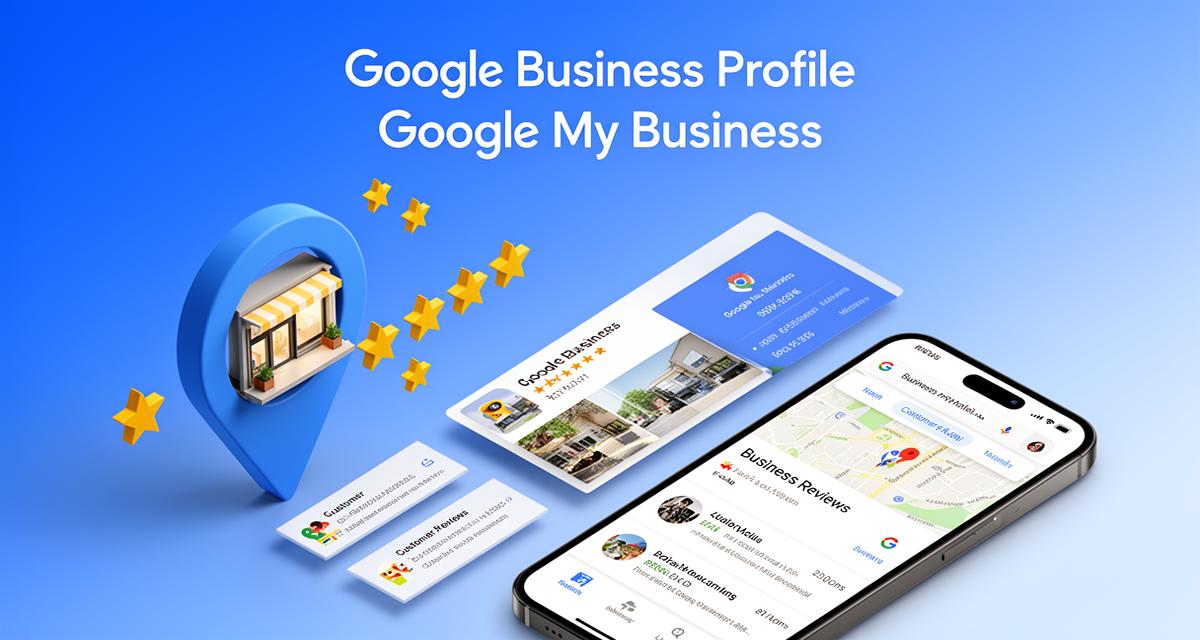
Master Google Business Profile (formerly Google My Business) to dominate local search. Learn how to set up, optimize, and manage your GBP listing to attract more customers and grow your business.
Key Takeaways
Google Business Profile (GBP), formerly known as Google My Business (GMB), is the single most important free marketing tool for local businesses in India. If you want customers in your city to find you on Google Search and Google Maps, this guide is your complete roadmap.
Here's what you'll discover in this comprehensive guide.
Google Business Profile is not optional anymore. Over 80% of local searches on mobile lead to a store visit or phone call within 24 hours. If your business isn't visible in local search results, you're invisible to most potential customers.
Your GBP listing is your digital storefront. It appears before your website in search results. For many customers, it's the first — and sometimes only — impression they get of your business.
Optimization matters more than just claiming your listing. Businesses with complete, regularly updated profiles get 7x more clicks than those with incomplete information. Most of your competitors aren't optimizing properly.
Reviews are the new word-of-mouth. 93% of consumers say online reviews influence their purchasing decisions. Your GBP review strategy directly impacts your revenue.
Local SEO is a competitive advantage. While your competitors focus on expensive ads, a well-optimized Google Business Profile delivers free, high-intent traffic every single day.
Whether you run a coaching center, consulting firm, real estate agency, restaurant, salon, or any business serving local customers, mastering Google Business Profile is essential for growth in 2026.
What is Google Business Profile (Google My Business)?
Let me start with the basics because there's some confusion around the naming.
Google My Business (GMB) was Google's free tool for managing how your business appears on Google Search and Google Maps. In 2021, Google rebranded it to Google Business Profile (GBP).
The functionality remains the same. It's still free. It's still the most powerful local marketing tool available. Google just changed the name.
When someone searches for "best coaching center near me" or "real estate agent in Pune" or your business name directly, your Google Business Profile is what appears in the local search results — the map listings with star ratings, addresses, and phone numbers.
Here's what your Google Business Profile includes.
Business Information: Name, address, phone number, website, hours of operation, and service areas.
Visual Content: Photos and videos of your business, products, services, and team.
Customer Reviews: Star ratings and written reviews from your customers, plus your responses.
Posts and Updates: Announcements, offers, events, and updates similar to social media posts.
Messaging: Direct messaging between customers and your business through Google.
Q&A Section: Common questions from customers with your answers.
Booking Integration: Appointment scheduling directly through your listing.
Insights and Analytics: Data on how customers find and interact with your listing.
Think of Google Business Profile as your business's official representation on the world's largest search engine. It's the first thing many potential customers see — before your website, before your social media, before anything else.
And unlike paid advertising, it's completely free.
Why Google Business Profile Matters for Indian Businesses
I talk to business owners across India every week. The ones who are growing consistently have one thing in common: they treat their Google Business Profile seriously.
Here's why it matters so much, especially in the Indian context.
India is a mobile-first market. Over 750 million Indians use smartphones, and most local searches happen on mobile. When someone needs a service, they pull out their phone and search. Your GBP listing is what they see first.
Local intent is high on Google. When someone searches "dentist near me" or "coaching classes in Jaipur," they're not browsing — they're ready to take action. These are high-intent searches, and your GBP determines whether they choose you or your competitor.
Trust is built through visibility. In India, we still value personal recommendations. But increasingly, Google reviews serve the same function. A business with 200+ reviews and a 4.5-star rating appears more trustworthy than one with no online presence.
Competition is still low. Here's the opportunity: most Indian businesses have either not claimed their GBP listing or have done a poor job optimizing it. If you invest time in doing this right, you'll outrank competitors who spend lakhs on advertising.
Let me share some numbers that should get your attention.
| Metric | Impact |
|---|---|
| Local searches leading to store visit | 76% within 24 hours |
| Consumers trusting online reviews | 93% |
| Searches with local intent | 46% of all Google searches |
| Clicks on listings with photos | 35% more likely |
| Calls from GBP listings | 60% of local business calls |
For coaches, consultants, trainers, agencies, and service businesses, Google Business Profile isn't just marketing — it's your primary customer acquisition channel if you serve a local or regional market.
How to Set Up Your Google Business Profile (Step-by-Step)
If you haven't claimed your Google Business Profile yet, let's fix that now. Here's the complete step-by-step process.
Step 1: Go to Google Business Profile Manager
Visit business.google.com and sign in with your Google account. Use a business email if possible — one you'll have long-term access to.
Step 2: Search for Your Business
Google may already have a listing for your business based on public data. Search for your business name. If it exists, you'll claim it. If not, you'll create a new one.
Step 3: Enter Your Business Name
Type your exact business name as it appears on your signage, business cards, and legal documents. Consistency matters for local SEO.
Step 4: Choose Your Business Category
This is critical. Your primary category tells Google what you do. Be specific. "Business Consultant" is better than just "Consultant." "UPSC Coaching Center" is better than "Education."
You can add secondary categories later, but choose your primary category carefully — it's the most important ranking factor.
Step 5: Add Your Location
If customers visit your location (office, store, clinic), add your complete address. If you go to customers (home services, consulting), you can hide your address and show only service areas.
Step 6: Add Service Areas (if applicable)
For businesses that serve customers at their locations, specify the cities, districts, or regions you cover.
Step 7: Enter Contact Details
Add your phone number and website URL. Use a local phone number if possible — it builds trust with local customers.
Step 8: Verify Your Business
Google needs to confirm you own or represent this business. Verification options include:
• Postcard by mail: Google sends a postcard with a verification code to your address (takes 5-14 days)• Phone verification: For some businesses, you can receive a code via phone call or SMS• Email verification: Available for some business categories• Video verification: Record a video showing your business location and signage
Complete verification as quickly as possible. Unverified listings have limited functionality and visibility.
Need Help Managing Your Online Presence?
Bharat Funnels integrates with Google Business Profile to help you capture and convert local leads automatically.
See How It Works →Optimizing Your Google Business Profile for Maximum Visibility
Claiming your listing is just the beginning. Now comes the work that separates top-ranking businesses from those buried on page two.
Here's how to optimize every element of your Google Business Profile.
Complete Every Field
Google rewards completeness. Businesses with complete profiles are 70% more likely to attract location visits. Don't leave anything blank.
Fill out your business description (750 characters maximum) with relevant keywords naturally included. Describe what you do, who you serve, and what makes you different.
Choose the Right Categories
Beyond your primary category, add every relevant secondary category. A coaching center might include "Test Preparation Center," "Educational Consultant," and "Tutoring Service."
Search for competitors and see what categories they're using. Add any that apply to your business.
Add Business Attributes
Google offers various attributes depending on your business type: "Women-led," "Veteran-owned," "Free Wi-Fi," "Wheelchair accessible," "Online appointments," etc.
These attributes help you appear in filtered searches and show customers what to expect.
Upload High-Quality Photos
Businesses with photos receive 42% more requests for directions and 35% more clicks to their websites. Add photos of:
• Your storefront and signage (helps customers recognize your location)• Interior shots (shows the environment)• Team photos (builds trust and personal connection)• Products or service delivery (shows what you offer)• Happy customers (with permission)
Aim for at least 10-15 photos. Update them regularly — fresh photos signal an active business.
Set Accurate Hours
List your regular hours and update them for holidays or special circumstances. Nothing frustrates customers more than showing up to a closed business.
Use "More hours" for specific services that have different timing (like consultation hours vs. walk-in hours).
Add Products and Services
List your offerings with descriptions and prices. This helps customers understand what you provide before contacting you. It also gives Google more context about your business for relevant searches.
Enable Messaging
Turn on the messaging feature to let customers contact you directly through your listing. Respond quickly — Google tracks response times and may display them.
Set Up Booking
If you take appointments, integrate a booking system. Google partners with several scheduling platforms that connect directly to your GBP listing.
The Power of Google Business Profile Reviews
Reviews are the fuel that powers your local search visibility. More reviews, better ratings, and thoughtful responses directly impact your rankings and customer decisions.
Why Reviews Matter More Than Ever
Let me share something that might surprise you. In my experience with Indian businesses, the single biggest factor in local search success isn't fancy SEO — it's reviews.
Here's why reviews are so powerful.
Trust and Social Proof: 93% of consumers read reviews before making a purchase. In India, where personal recommendations matter deeply, online reviews serve as digital word-of-mouth.
Search Rankings: Google's local algorithm heavily weights review quantity, quality, and recency. More positive reviews = better visibility.
Conversion Rates: Businesses with 4+ star ratings get significantly more clicks and calls than those with lower ratings.
Customer Insights: Reviews tell you what customers love and what needs improvement. It's free market research.
How to Get More Reviews
Most satisfied customers don't leave reviews unless you ask. Here's a systematic approach.
• Ask at the right moment: Request reviews when customers express satisfaction — right after a successful service, a positive conversation, or a thank-you message.
• Make it easy: Create a short link to your review page (search "Google review link generator") and share it via WhatsApp, email, or SMS.
• Train your team: Everyone who interacts with customers should know how to request reviews politely.
• Follow up: If a customer says they'll leave a review, follow up with a reminder and the direct link.
• Add review requests to your process: Include review requests in your post-service emails, receipts, or thank-you messages.
| Review Strategy | Effectiveness |
|---|---|
| Personal ask after service | ★★★★★ |
| WhatsApp follow-up with link | ★★★★★ |
| Email sequence request | ★★★★ |
| QR code in-store | ★★★ |
| Website pop-up | ★★★ |
| Business card mention | ★★ |
Responding to Reviews
Every review deserves a response — positive and negative. Here's how.
For positive reviews: Thank the customer by name, reference something specific from their review, and invite them back.
For negative reviews: Respond calmly and professionally. Acknowledge their concern, apologize for the experience, and offer to make it right offline. Never argue publicly.
Quick responses show you care. Aim to respond within 24-48 hours.
Automate Your Review Collection
Bharat Funnels sends automated review requests to customers at the perfect moment, helping you build a strong review profile on autopilot.
Start Collecting Reviews →Google Business Profile Posts: Your Free Marketing Channel
Most businesses don't know this feature exists, which means most businesses are missing out on free visibility.
Google Business Profile allows you to create posts that appear directly in your listing. Think of them as social media posts, but on Google.
Types of GBP Posts
• What's New: General updates, announcements, or content about your business• Events: Promote upcoming events with dates, times, and details• Offers: Share discounts, promotions, or special deals with expiration dates• Products: Highlight specific products with images and descriptions
Best Practices for GBP Posts
• Post consistently: Aim for 1-2 posts per week minimum. Regular posting signals an active business.
• Use compelling images: Every post should include an eye-catching image (750 x 750 pixels works well).
• Include a call-to-action: Every post can have a button — "Learn More," "Call Now," "Book," "Get Offer," etc.
• Keep it concise: You have 1,500 characters, but the first 100 characters are most visible. Front-load the important information.
• Use keywords naturally: Include relevant local keywords in your posts without stuffing.
Post Ideas for Different Businesses
For Coaches and Consultants:
• Announce upcoming workshops or webinars• Share client success stories (with permission)• Offer free consultation slots• Post tips related to your expertise
For Training Institutes:
• Announce new batches starting• Share student achievements and results• Promote demo classes or open houses• Highlight faculty or methodology
For Agencies:
• Showcase recent projects or case studies• Announce service offerings• Share industry insights or tips• Promote special packages
For Retail and Services:
• Highlight new products or services• Share seasonal offers• Announce extended hours or special events• Feature customer testimonials
Posts expire after 7 days (except events, which expire after the event date), so consistency is key.
Understanding Google Business Profile Insights
Google provides valuable data about how customers interact with your listing. Understanding these insights helps you optimize your strategy.
Key Metrics to Track
How Customers Find You
• Direct searches: People who searched for your business name directly (these are customers who already know you)• Discovery searches: People who searched for a category, product, or service (these are new customer opportunities)• Branded searches: Searches for your brand or a brand related to yours
What Customers Do
• Website clicks: Visitors who clicked through to your website• Direction requests: People who asked for directions to your location• Phone calls: Calls initiated from your listing• Message requests: Messages sent through your listing
Photo Performance
Compare your photo views to similar businesses. If you're below average, add more photos.
How to Use Insights
• High discovery searches: Your listing is being found by new customers. Focus on conversion — make sure your information is compelling.
• High direct searches but low discovery: You're known but not being found by new people. Optimize for relevant keywords.
• Many views but few actions: Your listing might need better photos, more reviews, or clearer calls-to-action.
• Direction requests but few visits: Your hours might be unclear, or customers might be finding you closed.
Check your insights monthly and look for trends over time.
Common Google Business Profile Mistakes (And How to Avoid Them)
I've audited hundreds of Google Business Profiles for Indian businesses. These are the most common mistakes that hurt visibility and conversions.
Mistake 1: Incomplete Profile
Leaving fields blank tells Google your business isn't serious. Complete every section — description, hours, attributes, services, products, Q&A.
Mistake 2: Wrong or Inconsistent NAP
NAP stands for Name, Address, Phone number. If your NAP is different across your website, GBP, and other directories, it confuses Google and hurts rankings. Keep it identical everywhere.
Mistake 3: Choosing the Wrong Primary Category
Being too broad ("Business") or too narrow limits your visibility. Research competitors, see what categories work, and choose the most specific accurate category.
Mistake 4: Ignoring Reviews
Not responding to reviews — especially negative ones — makes you look unprofessional. Worse, it hurts your rankings.
Mistake 5: No Photos or Outdated Photos
Listings without photos get far fewer clicks. Old photos make your business look inactive or outdated.
Mistake 6: Keyword Stuffing in Business Name
Adding keywords to your business name ("Best Coaching Center Delhi | UPSC | SSC | Banking") violates Google's guidelines and can get your listing suspended.
Mistake 7: Not Using Posts
Free visibility you're leaving on the table. Post at least weekly.
Mistake 8: Not Managing Q&A
Anyone can ask and answer questions on your listing. Monitor this section and provide official answers before someone else does.
Mistake 9: Fake Reviews
Buying fake reviews or asking employees to write them can result in removal of reviews or suspension of your listing. Build genuine reviews through excellent service.
Mistake 10: Not Tracking Insights
If you don't measure, you can't improve. Check your insights regularly and adjust your strategy.
Local SEO Beyond Google Business Profile
While GBP is the foundation, a complete local SEO strategy includes additional elements.
Consistent Business Citations
Your business should be listed consistently across directories like Justdial, Sulekha, IndiaMART, Yellow Pages, and industry-specific platforms. Use identical NAP information everywhere.
Local Content on Your Website
Create content relevant to your local area. Location-specific service pages, local case studies, and content addressing local customer needs all help.
Local Link Building
Get links from local businesses, organizations, newspapers, and community websites. Local links signal local relevance to Google.
Mobile Optimization
Most local searches happen on mobile. Your website must load fast and work perfectly on smartphones.
Schema Markup
Add LocalBusiness schema to your website to help search engines understand your business information. This structured data can enhance your search results with rich snippets.

Google Business Profile for Multi-Location Businesses
If your business has multiple locations, each one needs its own optimized GBP listing.
Setting Up Multiple Locations
Create a separate listing for each physical location with its unique address, phone number, and hours. You can manage all locations from a single Google account.
Location-Specific Optimization
Each location should have:
• Location-specific description mentioning the area• Photos of that specific location• Reviews from customers who visited that location• Posts relevant to that location's offers and events
Consistent Branding
While each location has unique elements, maintain consistent branding — same business name format, similar photo style, unified messaging.
Bulk Management
For businesses with 10+ locations, Google offers bulk verification and management tools. You can also use the Google Business Profile API for programmatic updates.
Connecting Google Business Profile with Your Marketing Funnel
Your Google Business Profile shouldn't exist in isolation. It should be part of your complete marketing and sales funnel.
Capture Leads from GBP
When someone calls from your listing, have a system to capture their information. When they message you, respond quickly and guide them toward the next step.
Use UTM Parameters
Add UTM tracking to your website link in GBP so you can see exactly how much traffic and how many conversions come from your listing.
Retarget GBP Visitors
People who visit your website from GBP are high-intent prospects. Use retargeting ads to stay in front of them.
Integrate with Your CRM
All leads from GBP — calls, messages, form submissions — should flow into your CRM for proper follow-up.
WhatsApp Integration
Add a WhatsApp link to your GBP so customers can reach you directly on their preferred messaging platform.
Turn GBP Visitors into Customers
Bharat Funnels captures leads from every channel — including Google Business Profile — and automates follow-up with WhatsApp and email sequences.
Book a Free Demo →Advanced Google Business Profile Features
Once you've mastered the basics, these advanced features can further enhance your presence.
Google Business Messages
Enable messaging to let customers contact you directly. Set up welcome messages, FAQs, and quick replies to handle common questions efficiently.
Booking Integration
Connect scheduling tools like Calendly, Zoho Bookings, or other partners to let customers book appointments directly from your listing.
Menu or Service Menu
Restaurants can add menus. Service businesses can create detailed service menus with descriptions and prices.
Health and Safety Attributes
If relevant, add attributes about health and safety practices — especially important for medical, wellness, and hospitality businesses.
Products Catalog
Add your products with images, descriptions, and prices. Customers can browse before visiting or contacting you.
Q&A Management
Proactively add common questions and answers to your Q&A section. This provides information upfront and shows Google you're actively managing your listing.
Performance-Based Optimization
Use A/B testing mentality — try different primary photos, update descriptions, change post strategies — and monitor insights to see what works best.
Frequently Asked Questions
Is Google Business Profile really free?
Yes, completely free. There are no hidden charges to claim, verify, or manage your listing. You can pay for Google Ads to boost visibility, but the organic listing itself is free.
How long does verification take?
Postcard verification typically takes 5-14 days in India. Phone or email verification (when available) is instant. Video verification usually takes a few days for review.
Can I have multiple Google Business Profiles?
You can have one listing per physical location. If you have multiple branches or offices, each gets its own listing. You cannot have multiple listings for the same location.
What if my business doesn't have a physical address?
Service-area businesses (like home services, consultants who visit clients) can hide their address while still appearing in local search for their service areas.
How do I handle fake or unfair negative reviews?
You can flag reviews that violate Google's policies (fake, spam, off-topic, conflict of interest). If the review is legitimate but unfair, respond professionally and try to resolve the issue.
Can I edit my listing anytime?
Yes, you can update your information anytime. Some changes may require re-verification.
Does Google Business Profile help with Google Ads?
Yes, you can link your GBP with Google Ads to show location extensions in your ads, making them more relevant for local searches.
How often should I update my Google Business Profile?
At minimum, check weekly. Update hours for holidays, post new content regularly, respond to reviews promptly, and add fresh photos monthly.
Conclusion
Google Business Profile is not just another marketing task — it's the foundation of your local online presence. For Indian businesses serving local customers, a well-optimized GBP listing can be the difference between thriving and struggling.
Here's your action plan.
This Week: Claim or verify your Google Business Profile if you haven't already. Complete every section with accurate, detailed information.
This Month: Add 10+ high-quality photos. Request reviews from your 10 most satisfied customers. Set up a weekly posting schedule.
Ongoing: Respond to every review within 48 hours. Post updates weekly. Monitor insights monthly. Keep your information current.
The businesses winning in local search aren't necessarily the biggest or the ones with the largest ad budgets. They're the ones who consistently optimize and maintain their Google Business Profile.
Your competitors are probably not doing this well. That's your opportunity.
Start today, be consistent, and watch your local visibility — and your customer base — grow.
Explore Related Features
Ready to Implement These Strategies?
Bharat Funnels makes it easy to implement everything you've learned in this article. Start your free trial and see results in days, not months.